From a dead HP Pavilion to a 2012 Mac mini.
How an old Proxmox box, a 4GB Raspberry Pi 5, spare DDR3, and a $30 Mac mini became my home server setup.
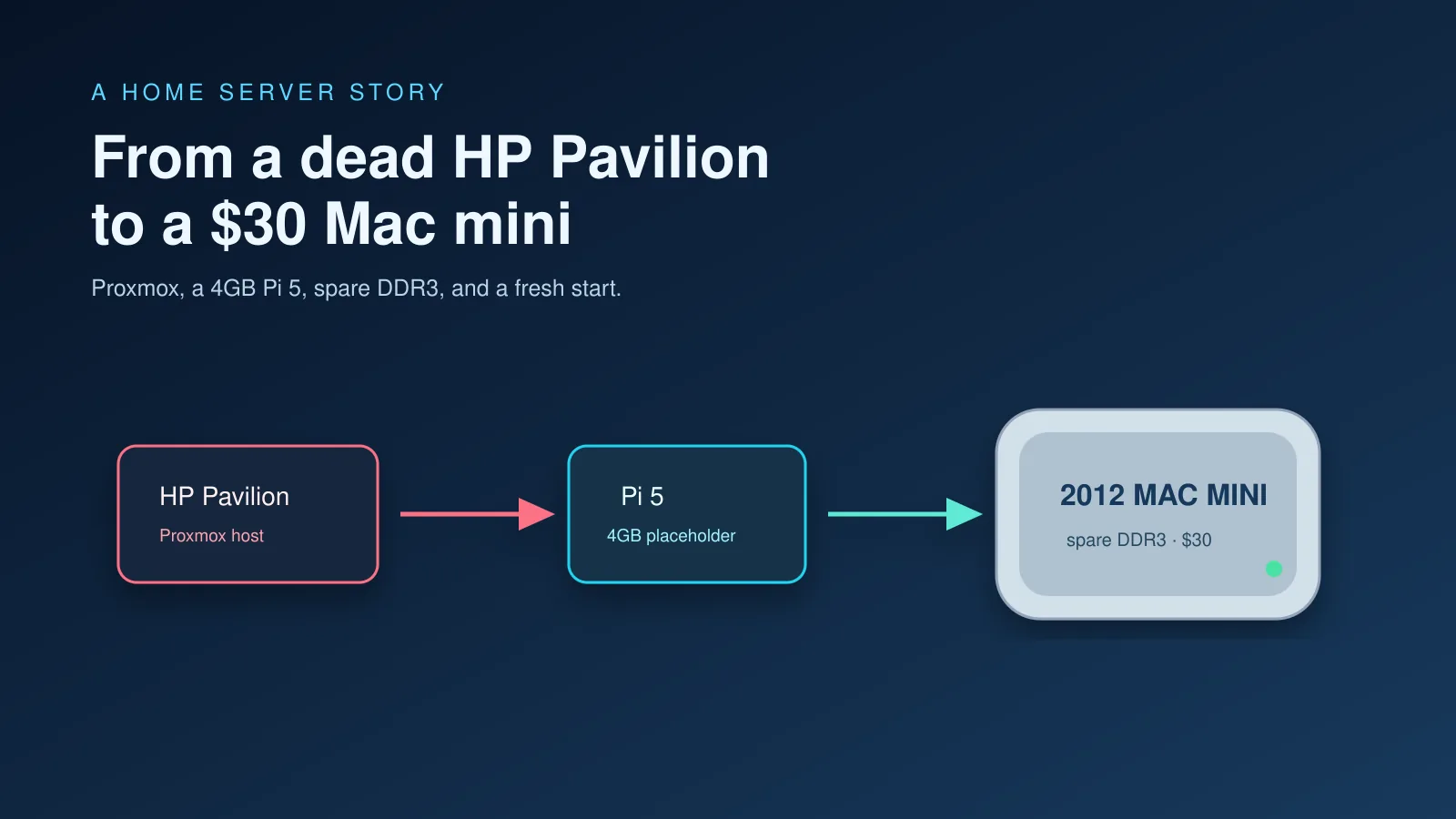
Before the Pi, my home server was an old HP Pavilion with an 8th gen i5 and 8GB of RAM. It had more expansion than it had any right to: an M.2 slot, SATA, and a CD drive that I had turned into another SATA bay.
It ran Proxmox. I loved it. I would install LXCs and VMs just to see if I could get something running. Looking back, it was overkill for what I was doing, and I did not know nearly as much then as I do now. I could probably get more out of that hardware today than I ever did at the time.
Eventually its fan started giving up. Then the motherboard gave up too. One day it simply would not boot.
The Pi 5 was not meant to be the permanent replacement. It was something I had lying around, so I moved what I could onto it and carried on. Mine had 4GB of RAM.
A Raspberry Pi 5 is a small, low-power board with GPIO pins and a huge project community behind it. Its price can feel steep if you compare only raw compute, but raw compute is not why people buy one. You can turn it into almost anything: a sensor box, a camera project, a retro console, a home automation controller, a small NAS, or a server that lives quietly in a corner. Mine ended up as the placeholder home server because it was there.
That forced me to get more careful. I gave up Home Assistant. I learned how much I could fit into a small amount of memory. I learned to recover data from corrupted drives because, at some point, you either learn that or accept losing things you should have backed up.
For a while, the Pi was enough. By the end, its fan was at full blast even while it was idle. It was running constantly, and the stack had grown well beyond the small placeholder setup I had started with.
Looking for a replacement
I had been looking at options for a while. The Pi was always a stopgap, but replacing it did not feel cheap. RAM and storage prices kept climbing, and I could not see them getting better any time soon. I had more or less parked the idea.
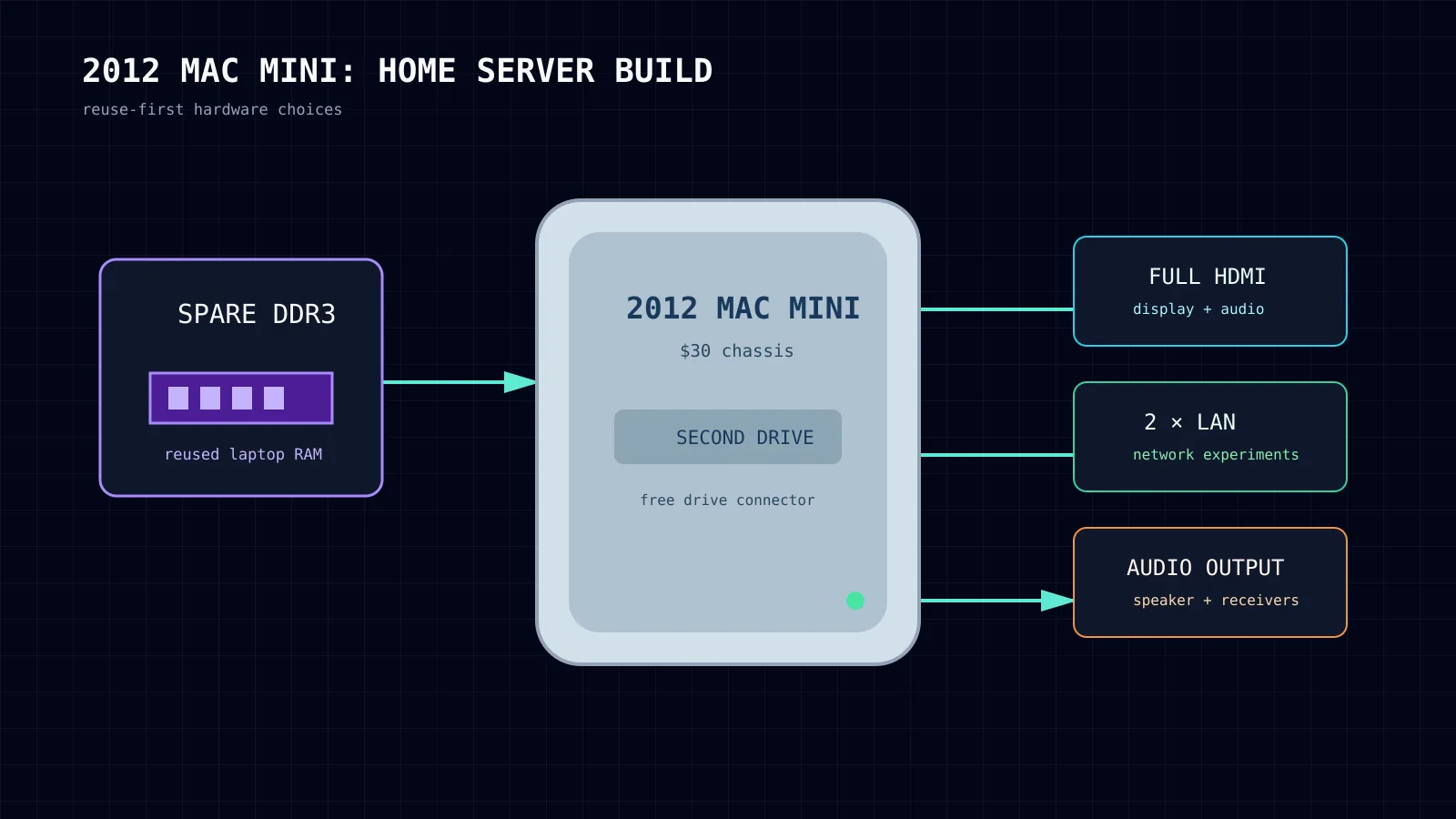
Then I started cleaning through my pile of "I'll probably have a use for that one day" hardware and found a few sticks of DDR3 RAM. I had originally kept them because they came from one of our old home laptops. Seeing them again made me think of the 2012 Mac mini.
It was a good match for what I needed. The 2010 was too old. The 2014 had soldered RAM. The 2018 had soldered storage. Apple silicon Mac minis were well outside the budget. The 2012 model still lets you upgrade the memory and add storage, which is exactly what made it interesting.
DDR3 is old and slow compared with modern memory, but I was building a home server, not chasing memory benchmarks. Having more of it mattered far more than its speed.
The 2012 Mac mini can also take a second internal drive with the right connector. I found a cheap listing and went to see it in person. The machine itself, without RAM or storage, cost $30. The seller threw in the extra drive connector for free, even though it usually sells for around $20.
That was the moment I bought it.
Why this particular Mac mini
The 2012 model had been produced in huge numbers, partly because it stayed popular even after the 2014 version arrived. That later model had a weaker CPU, soldered RAM, and fewer reasons to choose it for a cheap server. The 2012 one also appeared in plenty of business and enterprise setups, so they are not hard to find second hand.
I was not expecting it to beat a Pi at everything. The Pi is newer and much more efficient. It uses less power, generates less heat, and makes more sense for workloads that do not need much memory. Video encoding is one area where the old Intel Mac mini is not particularly impressive either.
For the services I run, the extra RAM, stronger general CPU performance, full-size HDMI, storage options, ports, and the ability to use two wired network connections were more useful.
The internal speaker is also useful for simple local audio or alerts. It is a small thing, but home servers are full of small things.
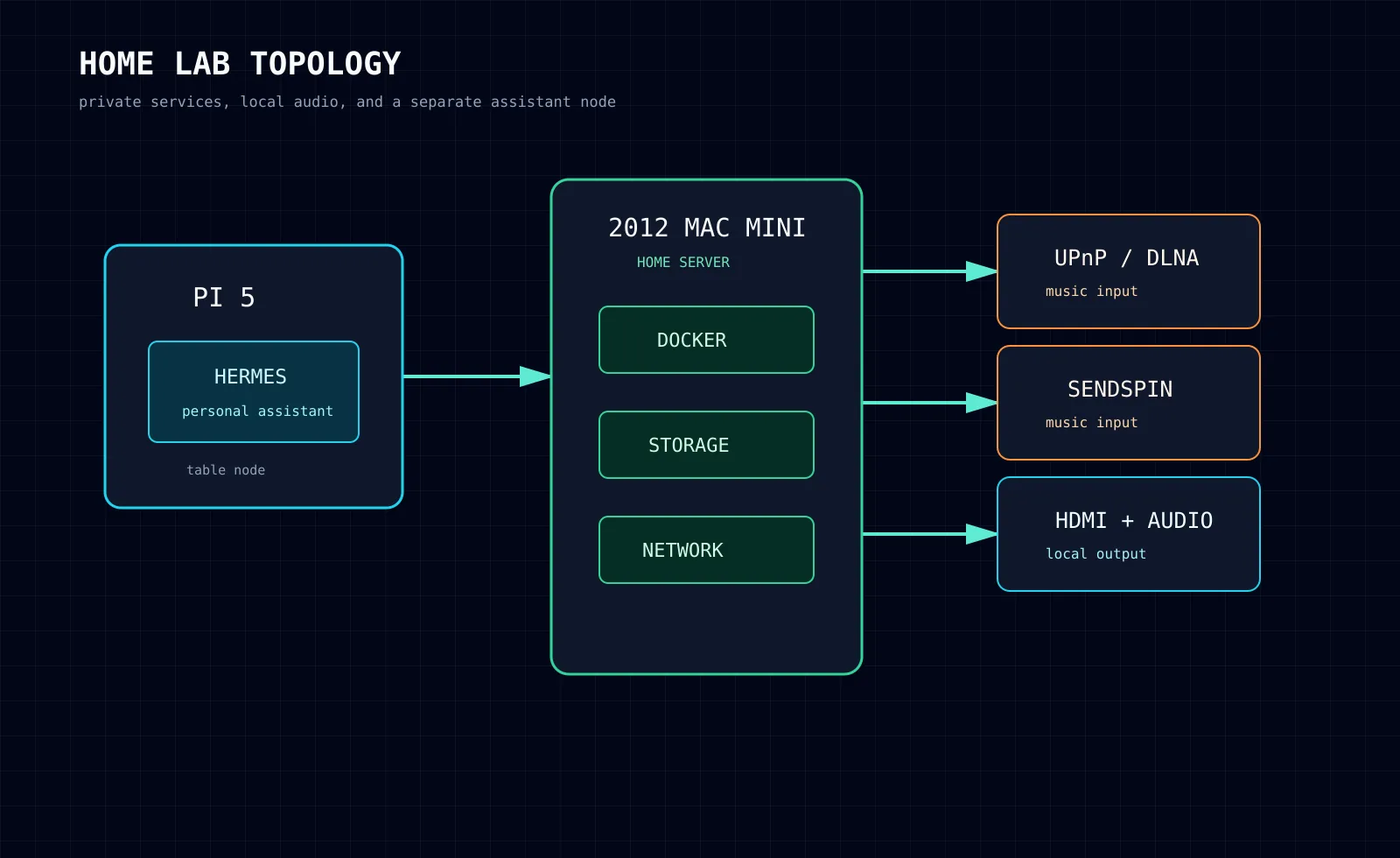
I also set the Mac mini up as a receiver for UPnP/DLNA and Sendspin. That gives the rest of the audio setup a place to send music, while the Mac mini handles the local speaker and HDMI side of it. It is one of those jobs that fits better on a small desktop that is already sitting there with the right ports.
Moving everything over
Once the Mac mini was ready, I moved the home server stack across. Docker Compose made that manageable, but it still meant working through persistent data, environment variables, and old containers that had been sitting around longer than they should have.
Once the Pi stopped being a home server node, it took on a different job. It now runs Hermes, my personal assistant, and lives on my table working as a Butler for me.
The change was not about turning the setup into something bigger for the sake of it. I wanted a machine that fit what the stack had become. The old HP taught me to enjoy VMs and containers. The Pi taught me to be careful with resources. The 2012 Mac mini came together because I found the right hardware at the right price, plus RAM I already owned.
I will probably end up replacing it with something newer eventually. That is part of maintaining a home server. Whatever you have eventually stops being enough because the setup grows with you. New projects turn up, you learn more, and the things you were happy to leave alone last year become the things you want to improve. I do not see that as a bad cycle. It is how the setup has taught me most of what I know.